Best Virtual Staging Software for Real Estate in 2026
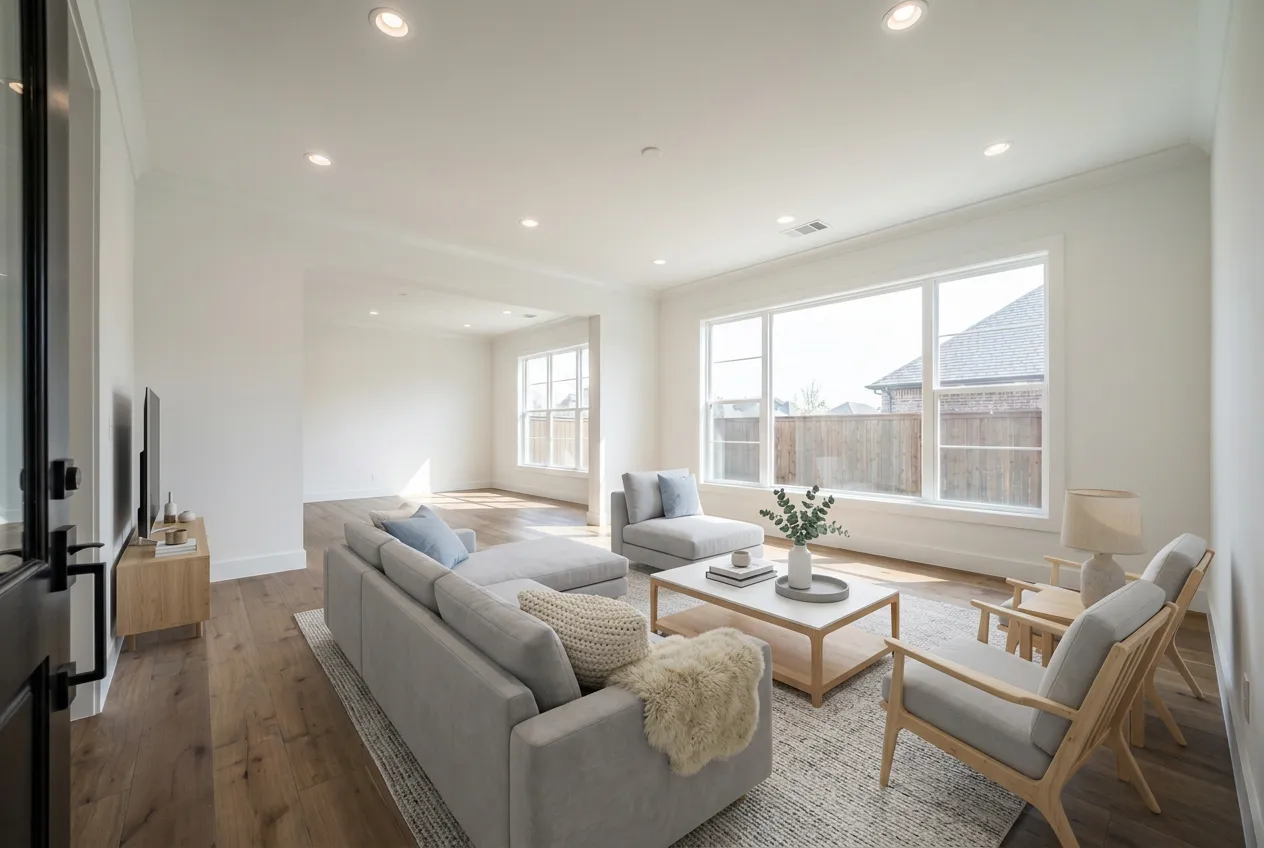
The virtual staging software market has fractured. Two years ago, you had maybe three serious options. Now there are dozens of tools claiming to be the best virtual staging app for real estate, and the differences between them actually matter -- room preservation, MLS compliance, pricing models, output quality. Pick the wrong one and you get staging that alters your listing photos in ways that violate MLS rules. Pick the right one and you stage every vacant listing for less than the cost of lunch.
We tested eight virtual staging platforms head-to-head. This is what we found.
What Makes Virtual Staging Software Good (and What Makes It Dangerous)
Before the individual reviews, you need to understand the three things that separate useful virtual staging software from the tools that create liability for your business.
Room preservation. The best virtual staging software adds furniture to a room without altering anything else. Walls, floors, outlets, windows, trim, ceiling fixtures -- all of it should remain exactly as photographed. Tools that change floor materials, smooth out wall textures, or remove architectural details are producing images that misrepresent the property. That is not a quality issue. It is a compliance issue.
MLS compliance features. Most MLS systems require disclosure that photos are virtually staged. Some states, California in particular, require the original unstaged photo alongside the staged version. Software that generates before-and-after pairs automatically, or that adds "Virtually Staged" watermarks, saves you from doing it manually and forgetting.
Honest output at scale. A tool that produces one great photo out of five attempts is not useful when you have 12 rooms to stage across three listings before Friday. Consistency matters more than peak quality.
Quick Comparison: Virtual Staging Software at a Glance
| Platform | Type | Price Per Photo | Turnaround | Room Preservation | Before/After | MLS Compliance Tools |
|---|---|---|---|---|---|---|
| Stagerize | AI | $1.99-$3.27/photo | Minutes | Yes | Built-in | Before/after pairs |
| BoxBrownie | Human editors | $24 | 24-48 hours | Yes | Manual | Watermark available |
| Virtual Staging AI | AI | ~$1-$3 (credits) | Minutes | Partial | No | No |
| REimagineHome | AI | ~$1-$4 (subscription) | Minutes | Partial | No | No |
| Collov AI | AI | ~$1-$5 (credits) | Minutes | Mixed | No | No |
| Apply Design | AI | Free tier + paid | Minutes | Mixed | No | No |
| Homestyler | 3D design + AI | Subscription, from $6.80/mo | Minutes to hours | Mixed | No | No |
| Styldod | Human editors | $16-$23 | 24-48 hours | Yes | On request | Watermark available |
The Reviews
1. Stagerize
Type: AI-powered | Pricing: Photo credit packs ($1.99-$3.27/photo) | Turnaround: Minutes
Disclosure: Stagerize is our product. We've tried to be fair to the others, and we link to their pricing pages so you can check.
Stagerize was built specifically for real estate agents who need to stage vacant listings fast while keeping the actual room intact.
The core promise is room preservation. Upload a photo of an empty room, pick a design style, and the AI adds furniture and decor without touching anything that is actually part of the property. Walls stay the same color. Floors keep their existing material. Outlets, vents, and light switches remain where they are. This sounds like table stakes, but general-purpose AI image tools often change these details.
Pricing uses a per-photo credit model. You buy photo packs rather than a monthly subscription, which works well for agents whose listing volume fluctuates month to month. One credit equals one staged photo, so you only pay for what you use.
Styles include Modern Farmhouse, Scandinavian, Mid-Century Modern, Contemporary, Coastal, and Transitional. Each style maintains visual consistency across multiple rooms in the same property -- the living room and bedroom actually look like they belong in the same home.
Before-and-after comparisons are generated automatically with every staging job. You do not have to create side-by-side images yourself. The original unstaged photo is always preserved alongside the staged version, which makes it easy to meet California's requirement to provide the original and to check the staged photo before you publish.
Limitations: The style library is currently six options. Agents who want a very specific aesthetic (Art Deco, industrial loft, traditional Southern) may not find an exact match. The platform is also newer than some competitors, which means fewer user reviews to reference.
Best for: Agents who prioritize MLS compliance and room preservation, teams that need fast turnaround at predictable per-photo costs, and anyone listing in states with strict disclosure rules.
For a deeper look at how before-and-after comparisons support compliance, see our guide on virtual staging before and after.
2. BoxBrownie
Type: Human editors | Pricing: $24-$32/image | Turnaround: 24-48 hours
BoxBrownie is the established name in virtual staging, and there is a reason. Human designers manually place furniture into your photos using professional design software. The output quality is consistently high. Furniture looks realistic, proportions are accurate, and the room's actual features stay intact.
This is not AI. Real people edit each photo individually. That means you get the judgment of a trained designer who understands furniture scale, style coherence, and visual balance in ways that algorithms sometimes miss.
The tradeoff is speed and cost. Standard turnaround is 24-48 hours. Rush service is available but costs more. At $24 per image, staging a single property with 8 photos runs $192. For an agent listing 10 properties a month, that is nearly $2,000 monthly on staging alone.
Revisions are available but add to the timeline. If the designer's style choices do not match what you envisioned, each round of changes adds another 24 hours.
Best for: Agents who handle a small number of listings, want designer-curated quality, and have the budget and timeline flexibility to wait. BoxBrownie is also a strong option for luxury listings where the staging needs to look impeccable and a two-day wait is acceptable.
3. Virtual Staging AI (virtualstagingai.app)
Type: AI-powered | Pricing: Credit-based (~$1-$3/photo) | Turnaround: Minutes
Virtual Staging AI is one of the more established AI staging platforms. The interface is browser-based, the style library is extensive, and the pricing is competitive with most AI tools in this category.
Output quality varies. On straightforward rooms -- rectangular spaces with good lighting and clear floor boundaries -- results are generally solid. The AI handles furniture placement and scale reasonably well in these scenarios.
Room preservation is inconsistent. In our testing, the tool occasionally altered floor textures and wall tones, particularly in rooms with unusual lighting or non-standard layouts. These changes are subtle but potentially problematic for MLS compliance.
No built-in before/after feature. You get the staged image back and manage disclosure on your own. For agents in markets that require the original photo alongside the staged version, this means extra steps.
Best for: Agents comfortable with AI staging who do not need built-in compliance tooling and are willing to review output carefully for room alterations.
4. REimagineHome
Type: AI-powered | Pricing: Subscription-based (~$1-$4/photo depending on plan) | Turnaround: Minutes
REimagineHome has scale. Over 1.5 million users make it one of the most widely adopted AI staging tools on the market. The platform is polished, onboarding is smooth, and it supports use cases beyond vacant room staging.
Customization is a strength. You can adjust design preferences and the AI accommodates specific furniture requests -- more flexibility than most AI staging tools offer.
Room preservation is mixed. REimagineHome sometimes modifies elements beyond just adding furniture. Wall colors may shift. Flooring textures can change. For social media, this may not matter. For MLS listings, it requires careful review.
The subscription model works for high-volume users but can be wasteful for agents with irregular listing schedules.
Best for: High-volume agents or teams who want a mature platform with customization features and are willing to check output for room alterations before uploading to MLS.
5. Collov AI
Type: AI-powered | Pricing: Credit-based (~$1-$5/photo) | Turnaround: Minutes
Collov AI is a design intelligence platform where staging sits alongside room redesign, floor plan generation, and other AI tools. Furniture selections lean modern and stylish, and the AI handles open-concept spaces well, defining distinct zones within larger rooms.
Consistency is the weak point. Room preservation varies between runs. The same photo staged twice can produce different levels of fidelity to the original room. This unpredictability makes it hard to rely on for MLS-bound images without checking each one.
Best for: Agents who want a broader suite of AI design tools. Less ideal for agents who need predictable, compliance-safe staging at volume.
6. Apply Design
Type: AI-powered | Pricing: Free tier + paid plans | Turnaround: Minutes
Apply Design offers virtual staging and room redesign for both agents and homeowners. The free tier lets you test the tool before committing, which is a real advantage when evaluating platforms. Quality on paid plans is decent.
Room preservation is inconsistent. Architectural elements are generally maintained, but surface textures sometimes get modified. The tool occasionally adds design elements like accent walls or crown molding that do not exist in the original photo.
Best for: Agents who want to test AI staging at no cost, or homeowners visualizing renovation ideas. Less suited for MLS-bound work that demands reliable room preservation.
7. Homestyler
Type: Mixed (3D rendering + AI) | Pricing: free tier; paid plans from $6.80/month, with the AI Stager using 10 credits per image | Turnaround: Minutes to hours
Homestyler comes from the Autodesk ecosystem and started as a 3D home design tool before adding virtual staging. The interface reflects that heritage -- more complex than purpose-built staging apps, but with granular control over furniture placement, camera angles, and lighting. You can place individual pieces exactly where you want them, which is unusual in this market.
The tradeoff is time. This is not an "upload and get results in two minutes" tool. Room preservation depends on your approach -- photo-based staging has mixed preservation, while 3D model-based output represents an idealized version rather than the actual space.
Best for: Design-oriented agents or staging professionals who want fine-grained control and accept a steeper learning curve. Not ideal for high-volume, fast-turnaround staging.
8. Styldod
Type: Human editors + AI assist | Pricing: $16-$25/photo | Turnaround: 24-48 hours
Styldod operates in the space between pure AI and pure manual staging. Human designers handle the work with AI assistance, which helps with speed while maintaining a level of quality control that fully automated tools cannot guarantee.
Output quality is solid. The human oversight catches the kinds of errors that pure AI tools miss -- furniture that clips through walls, rugs that overlap with baseboard heating, tables that look slightly too large for the dining area.
Room preservation is reliable. Like BoxBrownie, having a human in the loop means someone is checking that the original room structure stays intact.
Pricing lands between AI tools and premium manual services. At $16-$23 per photo, it is noticeably more expensive than AI options and a bit cheaper than BoxBrownie.
Best for: Agents who want human quality control without BoxBrownie pricing, and who can accommodate a 24-48 hour turnaround.
We've also written side-by-side comparisons of Stagerize with BoxBrownie, Stuccco, and Homestyler.
What About Zillow's Built-In Staging?
Zillow Showcase includes AI-powered virtual staging as part of its subscription. The convenience is real -- staging happens inside the same dashboard where you manage your Zillow listings.
The quality, based on agent feedback, is inconsistent. Room consistency across multiple photos in a listing breaks down regularly. The luxury preset has drawn unfavorable comparisons from agents. Perhaps more importantly, uploading photos to Zillow's platform grants them a perpetual, royalty-free license on your media, which is a significant concession for agents who invest in professional photography.
For a detailed analysis, see our Zillow virtual staging review.
How to Choose the Best Virtual Staging Software for Your Business
The right virtual staging software depends on your volume, your budget, and how much risk you are willing to accept on MLS compliance. Here is how to think through the decision.
Factor 1: Room Preservation (Non-Negotiable)
If you are uploading staged photos to MLS, the tool must preserve the actual room. Changed flooring, altered wall colors, or modified architectural details create material misrepresentation risk. Some AI tools are reliable here. Many are not. Test any platform with your own listing photos before committing.
For more on why this matters, read our guide on what virtual staging is and why room preservation is the single most important quality metric.
Factor 2: Speed vs. Quality
The divide is clear. AI tools deliver results in minutes. Human-edited services deliver in 24-48 hours. If you list a property at 10 AM and need staged photos for a 4 PM MLS upload, AI is your only realistic option. If you have two days and want a human designer's eye, BoxBrownie or Styldod will produce excellent results.
Most agents working consistent volume end up on AI tools because the math favors speed. When you are staging 8-15 listings per month, waiting two days per listing creates a bottleneck.
Factor 3: Pricing Model
Three models dominate the market: per-property pricing (pay for what you use), credit packs (buy in bulk at a discount), and monthly subscriptions (fixed cost, best for high volume). If your listing volume fluctuates, per-property or credit-based pricing avoids paying for capacity you do not use. For a complete breakdown, see our virtual staging cost guide.
Factor 4: MLS Compliance Tooling
At minimum, your staging tool should make it easy to disclose that images are virtually staged. Built-in watermarking, automatic before-and-after pairs, and metadata tagging save time and reduce the risk of uploading an unlabeled staged photo by mistake.
This matters more than most agents realize. MLS compliance rules around virtual staging are tightening, not loosening. California already requires original photos alongside staged versions. Other states are following.
Factor 5: Style Consistency Across Rooms
Can the tool produce a visually consistent look across every room in a listing? Buyers click through listing photos in sequence. If the living room is staged Scandinavian and the bedroom looks Coastal, the disconnect is jarring. Test this by staging multiple rooms from the same property and reviewing the results as a set, not individually.
The Bottom Line
The best virtual staging software in 2026 is the one that reliably adds furniture to your listing photos without altering the room itself, does it fast enough to match your workflow, and costs little enough to use on every listing -- not just the expensive ones.
For agents who want AI speed with built-in compliance tools, Stagerize combines room preservation, automatic before-and-after generation, and per-photo pricing with photo packs starting at $49 for 15 photos.
For agents who prioritize human-curated quality and can wait 24-48 hours, BoxBrownie remains the gold standard for manually edited virtual staging.
For agents already embedded in Zillow's ecosystem, the built-in staging is convenient but comes with quality inconsistencies and licensing tradeoffs worth understanding.
Whatever you choose, the days of leaving listings unstaged are over. At current AI pricing, there is no budget justification for publishing empty room photos. The only question is which tool fits your business.
Stage your next listing in minutes. See Stagerize pricing and get started.