What Is Virtual Staging? The Complete Guide for Real Estate Agents
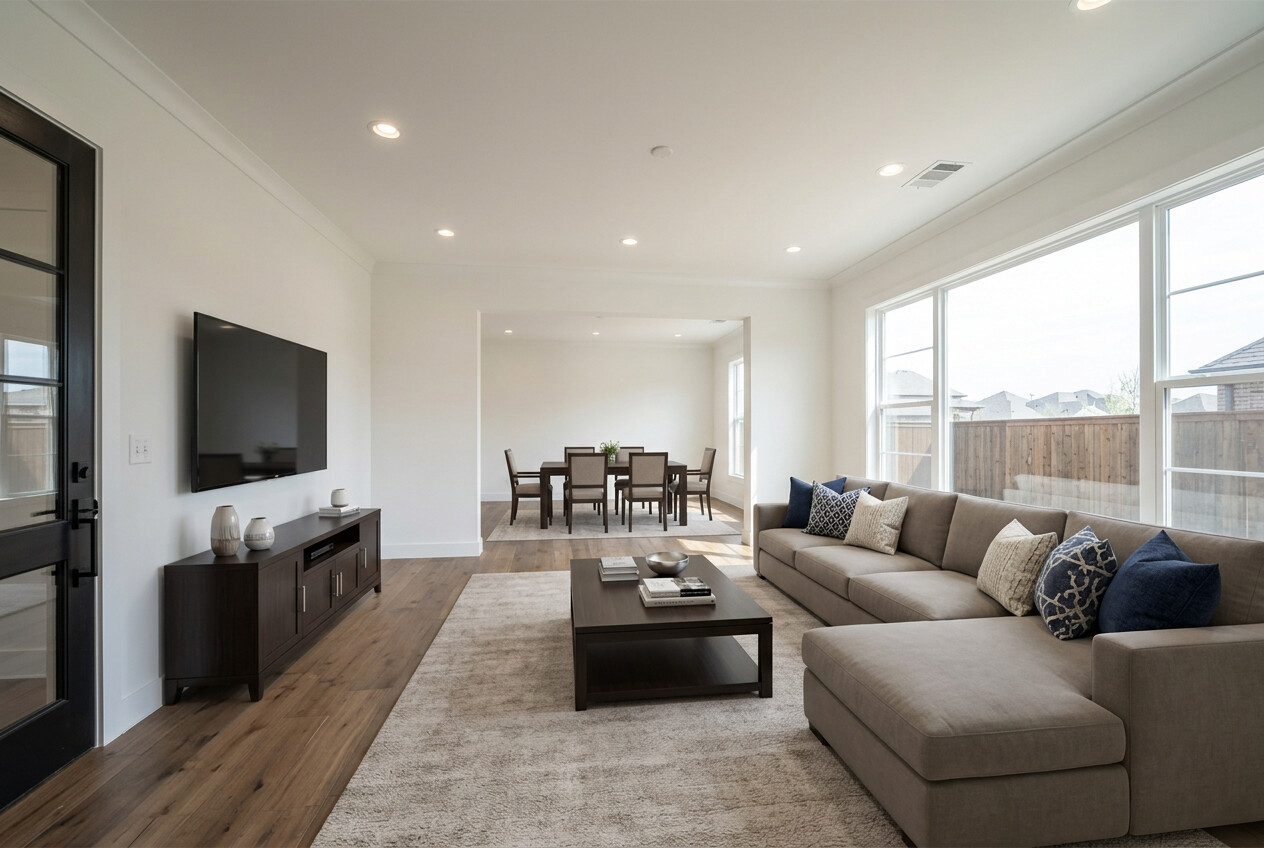
You just listed a vacant three-bedroom ranch. The photos look fine -- clean floors, fresh paint, decent light. But the rooms feel hollow. Buyers scroll past on Zillow in under two seconds. Your seller is asking why there are no showings.
This is the problem virtual staging solves. And if you are an agent in 2026 still debating whether it is worth it, you are already behind.
What Is Virtual Staging?
Virtual staging is the process of adding furniture, decor, and design elements to photos of empty rooms using software. Instead of hauling a truck full of rented furniture to a property, you upload a photo and get back a staged version of the same room -- digitally furnished, styled, and ready for your listing.
The concept is not new. Designers have been manually adding furniture to photos in Photoshop for over a decade. What has changed is how fast, affordable, and realistic the technology has become, particularly with the rise of AI-powered tools over the past two years.
So what is virtual staging in real estate, practically speaking? It is how you make a $280,000 vacant starter home compete visually with a $400,000 model home -- without paying a staging company $1,500 or more.
The Three Types of Staging (and What They Actually Cost)
Not all staging is the same. Here is a straightforward breakdown of your options.
Physical Staging
A staging company delivers real furniture to the property, arranges it, and picks it up when the listing closes. Results look great because, well, it is real furniture. The catch is the price tag: the median cost of a staging service was $1,500 per home in the NAR 2025 Profile of Home Staging, and larger homes cost more. You also need to coordinate delivery, manage contracts, and hope nothing gets damaged. For a high-end listing, it can absolutely be worth it. For many everyday listings, the math is hard to justify.
Manual Virtual Staging (Human Editors)
A graphic designer manually adds furniture to your photos using design software. Large services such as BoxBrownie and Styldod charge about $16 to $35 per image, and turnaround is typically 24 to 48 hours. The results can be excellent, but quality varies wildly between providers. At the lower end, you get furniture that looks pasted on. At the higher end, you get photorealistic results, but you wait a day or two for each batch.
AI-Powered Virtual Staging
This is where the industry has shifted. AI-powered platforms process your photos in minutes, not days, usually for a few dollars or less per image. You upload a photo, select a style, and the AI furnishes the room. Good tools preserve the actual space -- the walls, floors, windows, and architectural details -- but always compare the result with the original.
The speed difference alone is significant. An agent can photograph a vacant property at 10 a.m. and have fully staged listing photos by lunch.
For a detailed cost comparison across all three approaches, see our complete guide to virtual staging costs.
How AI Virtual Staging Actually Works
The process is simpler than most agents expect.
Step 1: Upload your photos. Take clear, well-lit photos of empty rooms. Wide-angle shots from a doorway or corner work best. You do not need a professional photographer, though it helps.
Step 2: Select a staging style. Choose a design aesthetic that fits the property and target buyer. Most platforms offer several options.
Step 3: AI furnishes the room. This is where the technology matters. The AI analyzes the photo to understand the room's layout -- where the walls are, where the windows are, where the floor meets the baseboard. It then places appropriately scaled furniture and decor into the space while keeping everything that is actually part of the room untouched.
Step 4: Download your staged photos. You get high-resolution images ready for MLS, Zillow, Realtor.com, social media, or print.
The entire cycle from upload to download typically takes two to five minutes per photo.
Why Room Preservation Is the Only Thing That Matters
Here is something most guides will not tell you: the single most important quality metric for virtual staging is whether the AI preserves the actual room.
Many general-purpose AI tools -- including the ones agents try to use for free -- do not just add furniture. They alter the room itself. They change the wall color. They reshape windows. They remove electrical outlets or add hardwood floors that do not exist. The output might look pretty, but it no longer represents the actual property.
This is a serious problem for two reasons.
First, it creates MLS compliance risk. If your staged photo shows marble countertops and the kitchen actually has laminate, that is a material misrepresentation. Second, it erodes buyer trust. A buyer who walks into a showing expecting the room they saw online and finds something noticeably different is not a happy buyer.
Room-preserving AI treats the photograph as sacred. Walls, floors, ceilings, outlets, light switches, windows, trim -- everything stays exactly as it appears. The AI only adds furniture and decor to the empty space. This is the distinction between a tool built for real estate and a general image tool being repurposed for it.
MLS Compliance: What Agents Need to Know
Virtual staging and MLS rules come up in almost every conversation agents have about this technology. The short answer: virtual staging is widely permitted, but disclosure is required.
The longer answer depends on where you practice.
Disclosure is expected. MLS rules we've reviewed require virtually staged photos to be labeled. Stellar MLS in Florida, for example, requires "Virtually staged" in the photo description and a note at the start of the public remarks. Check whether yours also asks for a watermark.
State-by-state rules vary. California's AB 723, in effect since January 1, 2026, requires a disclosure on altered listing photos and access to the original version. Wisconsin passed a disclosure law that takes effect in 2027. Elsewhere, general rules against misleading advertising still apply.
The safe approach has three parts. Use a room-preserving tool that does not alter the property's actual features. Clearly label every staged photo. Provide before/after versions so buyers can see exactly what the room looks like empty.
Agents who follow these three steps are not just compliant -- they are building trust. And trust is what closes deals.
For a deeper dive into compliance by state, read our guide on MLS compliance and AI staging.
Before/After: More Than Just Compliance
Many agents treat before/after photos as a compliance checkbox. Upload the staged version for the listing, keep the empty version on file in case someone asks.
That is a missed opportunity.
Before/after staged photos are actually one of the highest-performing content formats in real estate marketing. Buyers find them fascinating. The transformation from a cold, vacant room to a warm, styled space is visually compelling in a way that a single staged photo is not.
Some agents are now leading with the before/after format directly in their listings, showing both versions side by side. Buyers appreciate the transparency, and the contrast actually makes the staging more impressive, not less.
On social media, this format is even more powerful -- but more on that below.
Explore real examples and best practices in our before/after staging guide.
Staging Styles: Matching the Property to the Buyer
One of the advantages of virtual staging over physical staging is the ability to switch styles instantly. With physical staging, you get one look and you are committed for the duration of the listing. With virtual staging, you can try multiple aesthetics and choose the one that resonates.
Here are the most popular staging styles and when each works best.
Modern Farmhouse. Warm wood tones, neutral colors, comfortable textures. This is the most universally appealing style and a safe default for suburban single-family homes. If you are unsure, start here.
Scandinavian. Clean lines, light wood, minimal clutter, lots of white and soft gray. Ideal for smaller spaces, condos, and urban apartments where you want the room to feel open and airy. Particularly effective for listings targeting younger buyers.
Mid-Century Modern. Bold geometric shapes, warm walnut tones, statement furniture. Works well for homes built in the 1950s through 1970s where the architecture already leans in this direction. Also popular for urban lofts.
Contemporary. Sleek, current, slightly editorial. Neutral palette with occasional bold accents. Best for newer construction and move-up buyers who want a polished, current look.
Coastal. Light blues, whites, natural textures, relaxed feel. The obvious choice for waterfront or beach-adjacent properties, but it also works surprisingly well for any bright, open-plan home where you want to evoke a sense of calm.
The key insight: style selection is not about your personal taste. It is about what the most likely buyer for this specific property will respond to.
Virtual Staging for Social Media
Staged photos are not just for MLS anymore. Increasingly, agents are using them as the backbone of their social media content strategy.
The before/after format is tailor-made for engagement on Instagram and TikTok. A simple transformation video -- swipe or slide from an empty room to a fully staged one -- consistently outperforms standard listing photos in terms of likes, shares, and comments. Real estate TikTok accounts built entirely around before/after staging transformations have grown audiences in the hundreds of thousands.
This is not a gimmick. It is practical marketing. Every vacant listing you stage is at least two pieces of content: the before/after reveal and the final styled photo. That is a steady stream of posts that showcase your listings, demonstrate your marketing capability to future sellers, and keep your feed active between closings.
Agents who treat staging as both a listing tool and a content tool get twice the value from every photo.
Who Benefits Most from Virtual Staging
Virtual staging is not just for listing agents, though that is the most obvious use case.
Listing agents use it to market vacant properties, reduce days on market, and justify their commission by showing sellers a tangible marketing investment.
Property managers stage rental listings to reduce vacancy time. Even a few days of reduced vacancy on a $2,000/month unit pays for itself many times over.
Real estate photographers add virtual staging as an upsell to their photography packages. A photographer who charges $200 for a shoot and offers staging at $50 per photo turns a $200 job into a $500 job without returning to the property.
Marketing coordinators at brokerages use it to maintain consistent listing quality across an entire team. When every listing goes out with professional staging, the brand looks sharper.
Common Objections (Answered Honestly)
"Staged photos look fake."
Some do. Particularly the cheap manual services and the general-purpose AI tools that were not built for real estate. But room-preserving AI that does not alter the actual architecture of the space produces results that are genuinely difficult to distinguish from a photo of a furnished room. The technology has improved dramatically even in the past year.
"Buyers will be disappointed at the showing."
This is the most legitimate concern, and the answer is the before/after format. When both versions are available in the listing, buyers know exactly what they are getting. The staged photo helps them envision the potential. The empty photo shows the reality. No surprises.
"Is not it misleading?"
There is a meaningful difference between adding furniture to an empty room and altering the room itself. Adding a sofa and a coffee table to help a buyer visualize a living room? That is accepted practice under the MLS rules we've reviewed, as long as it's disclosed. NAR's Code of Ethics requires a "true picture" in advertising and bars misleading images. Changing the wall color, adding a fireplace that does not exist, or replacing the flooring? That is a different story. The tool you use determines which side of that line you land on.
"I can just use ChatGPT or another free AI tool."
You can try. General-purpose AI models are built for creative image generation, not real estate accuracy. They routinely change wall colors, reshape windows, add or remove architectural features, and produce rooms that look nothing like the actual property. For social media content or mood boards, that might be fine. For MLS listing photos where accuracy is a professional obligation, it is a liability. Purpose-built virtual staging tools preserve the room because that is what they were designed to do.
For a comparison of the most popular staging tools, see our best virtual staging software roundup. You can also read our detailed review of Zillow's virtual staging features.
Is Virtual Staging Worth It?
If you are listing vacant properties, virtual staging is one of the highest-ROI marketing investments you can make. A few dollars per photo versus thousands for physical staging, with results that are often indistinguishable to the average buyer scrolling Zillow on their phone.
In NAR's 2025 survey, 29% of sellers' agents said staging led to a 1% to 10% increase in the dollar value offered. On a $350,000 property, even 1% is $3,500. Compare that with staging five photos for about $15.
For a full breakdown of the ROI math, read Is Virtual Staging Worth It?.
Getting Started
Virtual staging does not require a design degree, expensive software, or a learning curve. The modern workflow is genuinely simple: take photos, upload them, pick a style, download the results.
If you are ready to try it, see our pricing and stage your first property in minutes.
The agents who will win the next five years of real estate are the ones who make every listing look its best -- regardless of whether the seller left furniture behind. Virtual staging is how you do that at scale, affordably, and without compromising accuracy.